

Setup C-Kits in Inventory
Setup Customizable Kits in Inventory
The inventory serves as a backup between production and sales to smooth out the product supply and ensure that products are available when customers place their orders.
Steps to configure kit specifications in Acumatica inventory:
- Navigate to Acumatica inventory and search for Kit Specifications.
- Select Kit Specifications from the search results.
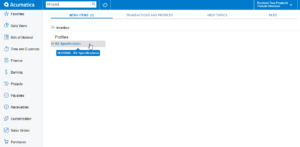
Search for kit specifications
- Click the selector icon, then choose a product from the inventory.
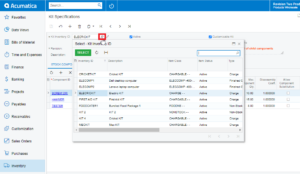
Product search using selector
- Check the box provided against the Customizable Kit, to enable the Non-stock items accessible and customizable.
- Check the box provided against the Not to Explode on API Sync to stop child items from exploding on price when the product explodes.
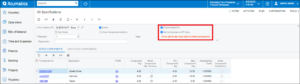
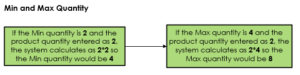
- Enter Min and Max quantity for the component.
- The permitted update quantity should be between the set variance min and max values.
- Check the box provided against Allow Component Quantity Variance
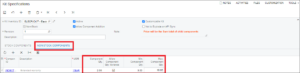
Configure kit components for non-stock items